Step 1 Preprocessing TODO
-
Convert the camera frame from color → grayscale
-
Apply a Gaussian blur to reduce noise and stabilize edges
-
Dilate edges so boundaries are thicker and more connected
Step 2 - FindContour
A contour is a sequence of points that lie along the boundary of a connected region (object) in an image. In OpenCV, contours are typically extracted from a binary image, where pixels are split into foreground and background.
- For better accuracy, use binary images. So before finding contours, apply threshold or canny edge detection
- The algorithm requires background to be white and borders to be black.
cv2.RETR_TREEis contour retrieval modeCHAIN_APPROX_SIMPLEis the contour approximation method
1
im2, contours, hierarchy = cv2.findContours(thresh, cv2.RETR_TREE, cv2.CHAIN_APPROX_SIMPLE)
- Args
- Retrieval mode (
cv2.RETR_TREE,cv2.RETR_EXTERNAL, …)RETR_TREE: returns all contours and reconstructs full parent/child hierarchy (outer contours + holes).RETR_EXTERNAL: returns only the outermost contours (often simplest).
- Approximation method (
cv2.CHAIN_APPROX_SIMPLE,cv2.CHAIN_APPROX_NONE)CHAIN_APPROX_SIMPLE: compresses horizontal/vertical segments (fewer points).CHAIN_APPROX_NONE: keeps every boundary pixel (more points).
- Retrieval mode (
- Returns:
- contours is a list
[np.array(x, y), ...]of boundary points in the image. Shape is typically(N, 1, 2)and points are(x, y)(x = column, y = row). hierarchy: array describing contour nesting (parent/child relationships), useful for holes.
- contours is a list
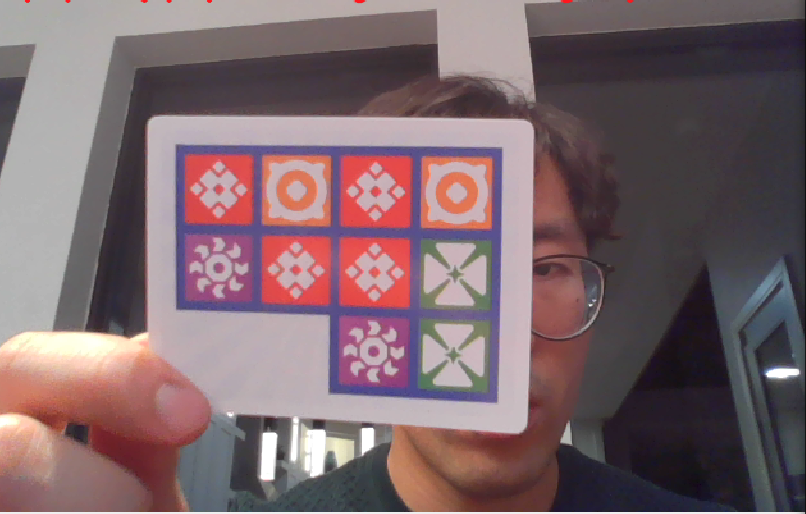
1) Input image (grayscale)
The raw image before any preprocessing. At this stage, contours are not well-defined because foreground and background are not separated yet.
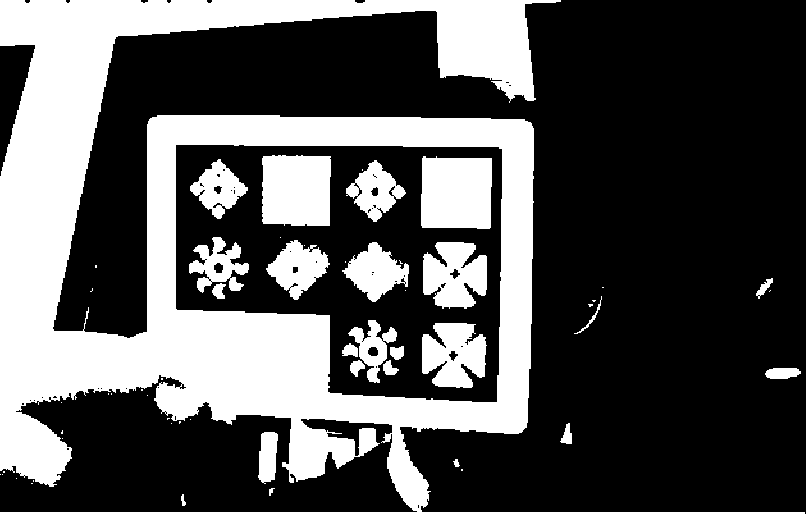
2) Thresholded binary image
We convert the image into a binary representation so that the object pixels become one value (e.g., 255) and the background becomes 0 (or vice versa). Contour algorithms usually assume a clean binary separation.
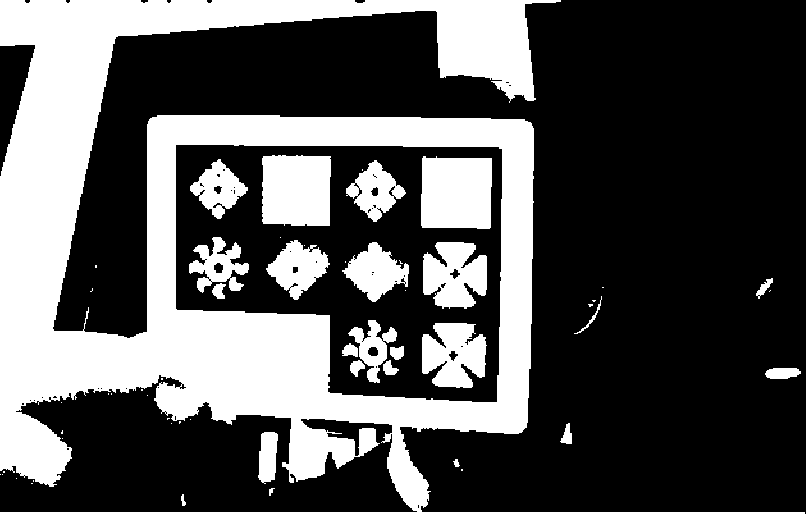
3) Foreground mask
We convert the binary image into a boolean mask (foreground = binary != 0), where True indicates object pixels. This makes logical operations (AND/OR/NOT) easy and fast.
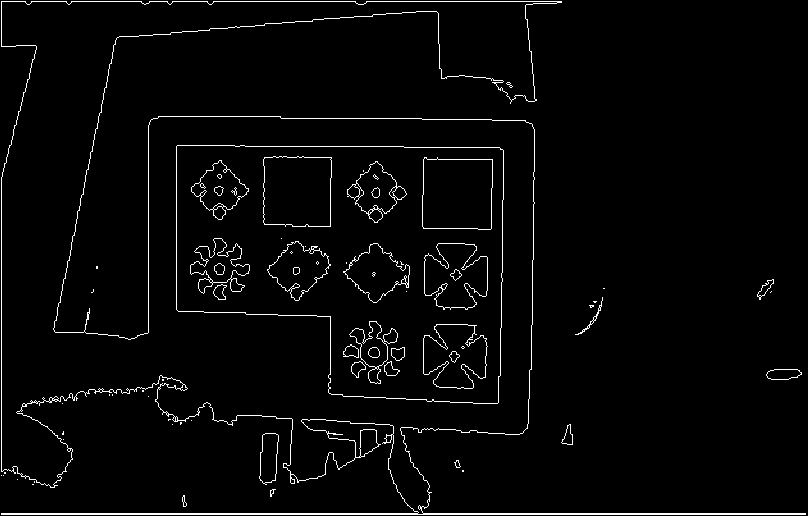
4) Boundary mask
We identify boundary pixels as foreground pixels that are not fully surrounded by foreground in the 4-neighborhood. This produces a thin “outline” that is ideal for contour tracing.
Pseudocode
1
2
3
4
5
6
7
8
9
10
11
12
13
14
15
16
17
18
19
20
21
22
23
24
25
26
27
28
29
30
1. img = threshold(image)
2. find_contours()
 1. foreground = (img != 0) # set black rgb=0 to true so black is background
 2. boundary_img = foreground AND NOT(interior_4)
   up = move_up(boundary_image, 1_pixel)
   interior_4 = up AND down AND left AND right

 3. visited_boundary = zeros_like(boundary_img, false)

 4. neighbor_directions = [(0,1),(1,1),(1,0),(1,-1),(0,-1),(-1,-1),(-1,0),(-1,1)]

 5. trace_single_contour(start_row, start_col):
     contour = [(start_row,start_col)]
     visited[start] = True
        current = start
        prev_dir_index = 0   # assume we came from "east" initially

     for _ in range(max_steps):
      for direction_idx in range(8):
       point_coord = [current_row, current_col] + neighbor_directions[direction_idx]
       if (boundary[point_coord] == 1):
       next_row, next_col = point_coord
      next_row, next_col  = current_row, current_col
      contour_pixels.append([current_row, current_col])
     return contour_pixels
   1. for each pixel (row,col) in boundary_img:
        if pixel == True and visited[row,col] == False:
            contours.append(trace_single_contour(row,col))

   h) unpad coordinates and return contours
- OpenCV can return different starting points
- OpenCV uses a specific Suzuki-Abe algorithm, can include holes/hierarchy
Step 3 Detect the checkerboard (find the board/card region) TODO
-
If the contour area is too small, skip
-
Compute
minAreaRect(contour)to get the best-fit rotated rectangle -
If the rectangle is too small, skip
-
Track the contour whose rectangle encloses the largest valid area
-
Use
cv2.boxPoints(rect)to obtain the 4 corner points (box)
Step 4 Draw the detected board boundary TODO
1
2
3
- Visualize the detected rectangle on the live feed:

    `cv2.polylines(overlay, [box.astype(np.int32)], True, (0, 255, 0), 2)`
Step 5 Perspective-warp the board TODO
1
2
3
- Warp the detected quadrilateral into a fixed-size top-down view:

    `warped = warp_card(frame, box)`
Step 6 Detect the grid boundaries inside the warped view TODO
1
2
3
- Use the blue grid lines to locate the 3×4 boundaries:

    `grid = find_grid_boundaries_from_blue(warped, debug=debug)`
Step 7 Classify each checker cell color TODO
1
2
3
4
5
6
7
8
9
10
11
12
13
14
15
- If grid boundaries were found:

    1. Loop over each row and column

    2. Extract a central patch (avoid borders/gridlines):

        `patch = warped_inner[y0i:y1i, x0i:x1i]`

    3. Classify the patch color:

        `lbl, conf = classify_cell(patch)`

    4. Smooth results over time using a per-cell history:

        `hist[r][c].append(lbl) labels[r][c] = mode_label(hist[r][c])`
