Networking Layers: From DDS Payload to Wire Format
When we talk about “sending a DDS message,” it’s easy to think of it as a single thing moving across the system. In reality, networking is layered. Each layer wraps the one above it.
At a high level:
1
2
3
4
5
Application  →  DDS / ROS 2
Transport    →  UDP or TCP
Network      →  IPv4 or IPv6
Link         →  Ethernet / WiFi / Loopback
Each layer has a specific responsibility.
-
DDS / ROS 2 defines the application-level message format and semantics.
-
UDP or TCP handles transport (ports, reliability, segmentation behavior).
-
IPv4 / IPv6 handles addressing and routing between hosts.
-
Ethernet / WiFi / Loopback handles delivery on a specific link.
Ethernet and NIC
NIC = Network Interface Controller; The ethernet card is by far the most common type of NIC. It’s often integrated on the motherboard, but equivalently, it’s equivalent to going through the PCIe switches. On laptops, there are usually 1 ethernet ports (and an associated ether card), on desktops, there could be 2.
- PCIe = Peripheral Component INterface Express, a high-speed interface for external components to talk to the motherboard. Common components include: GPU, NVMe SSD, Network Cards, etc.
Since Ubuntu 16.04, predictable network-interface was introduced. An ethernet NIC is
1
2
3
4
en[p]<bus-number>s<slot-number>[f<function>]
└─┬──┘ └──┬─────┘
  │        └─── “device 0 in PCI slot 3”
  └──────────── “Ethernet” (as opposed to wl… = Wi-Fi, lo = loopback)
So enp3s0 means “Ethernet adapter located on PCI bus 3, slot 0, function 0”. On another PC you might see names like enp5s0 or eno1. The NIC can be configured to an IP 192.168.1.xxx/24.
- The
/24is the subnet in CIDR notation. For what it means and how to find other devices on the same subnet, see Finding a Jetson’s address over Ethernet.
Case Study: Connecting Livox Mid 360
https://i.postimg.cc/RZr9PNSP/2025-06-29-14-16-38.png
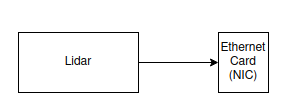
Livox Mid/Horizon sensors use a fixed address in the 192.168.1.x/24 range.
When connected, the LiDAR negotiates link speed/duplex with the NIC and then starts sending UDP packets.
Use this checklist to bring the link up cleanly.
- Identify the NIC name:
1
2
3
4
$ ip a
eno1: <NO-CARRIER,BROADCAST,MULTICAST,UP> mtu 1500 qdisc mq state DOWN group default qlen 1000
    link/ether cc:28:aa:45:68:bd brd ff:ff:ff:ff:ff:ff
    altname enp8s0
-
Connect the device.
-
Confirm the physical link is up. You should see a message like
NIC Link is Up 100 Mbps Full Duplex:
1
2
3
ricojia@system76-pc:~/Downloads/LivoxViewer2 for Ubuntu v2.3.0$  sudo dmesg | grep -i -e eno1 -e enp8s0
[    1.812914] igc 0000:08:00.0 eno1: renamed from eth0
[80870.168221] igc 0000:08:00.0 eno1: NIC Link is Up 100 Mbps Full Duplex, Flow Control: RX
- Verify auto-negotiation:
1
2
3
sudo ethtool eno1  # ^--- look for "Link detected: yes/no", negotiated speed/duplex
    ...
 Supports auto-negotiation: Yes
- Disable UFW if Livox Viewer cannot receive point clouds:
sudo ufw disable
- Detect architecture and interface, then assign the static Livox-side address:
1
2
3
4
5
6
# detect architecture
uname -m
IFACE="$(ip -o link show | awk -F': ' '{print $2}' | sed 's/@.*//' | grep -E '^(en|eth)' | head -n1)"

sudo ip addr add "${LIVOX_IP}" dev "${IFACE}" 2>/dev/null || echo "Address already assigned, skipping."
sudo ip link set "${IFACE}" up
Notes:
uname -mreports architecture (for examplex86_64oraarch64).- Wired interfaces are Ethernet interfaces, typically named with
enoreth. grep -Eenables extended regex.^means start of string, and|means OR.ip addr addis the modern tool and has clearer scripting semantics thanifconfig(net-tools).ip link set "${IFACE}" upadministratively enables the interface. It does not request DHCP by itself.- DHCP is handled by services such as
NetworkManager,systemd-networkd, ordhclient. - You can assign an IP while link is down, but traffic still fails until the link is up. Explicitly setting the link up makes behavior deterministic.
Network Loop
If Two network switches are connected, and if STP (Spanning tree??)is not configured correctly? There would be a network loop. traffic will broadcast; get come back around. There will be massive packet duplication. So you might see some ros2 calls sometime fail.
1
2
3
Switch A ───── Switch B
│ │
└──────────────┘
- what is spanning tree protocol? STP???
- Layer 2 netowrk protocol that Detects switch loops, and automatically keeps only one active path between switches
- Diagnosis:
ip -s link= ;ppl fpr jige RX package counts, with dropped packets.
- Fix:
- Remove redundant cable
- Enable STP/RSTP
- Checking for TCP port 8181 is open:
nmap 192.168.10.87 -p 8181
Wireshark
Wireshark is a network protocol analyzer that captures and inspects packets traveling over a network, allowing you to examine source and destination IPs, protocols like TCP/UDP/HTTP, payload data (when not encrypted), and packet timing and sequencing. It’s commonly used for debugging network issues, analyzing traffic, and security investigations.
The data it captures is stored in a .pcap (packet capture) file, which is simply a recorded snapshot of network traffic that Wireshark can either generate from live captures or open for later analysis. While Wireshark itself is primarily a GUI tool, packet capture is often done via the command line using tools like tcpdump or tshark.
For example, you can capture traffic with sudo tcpdump -i eth0 -w capture.pcap or sudo tshark -i eth0 -w capture.pcap, where -i specifies the network interface (use any if unsure) and -w writes the captured packets to a .pcap file.